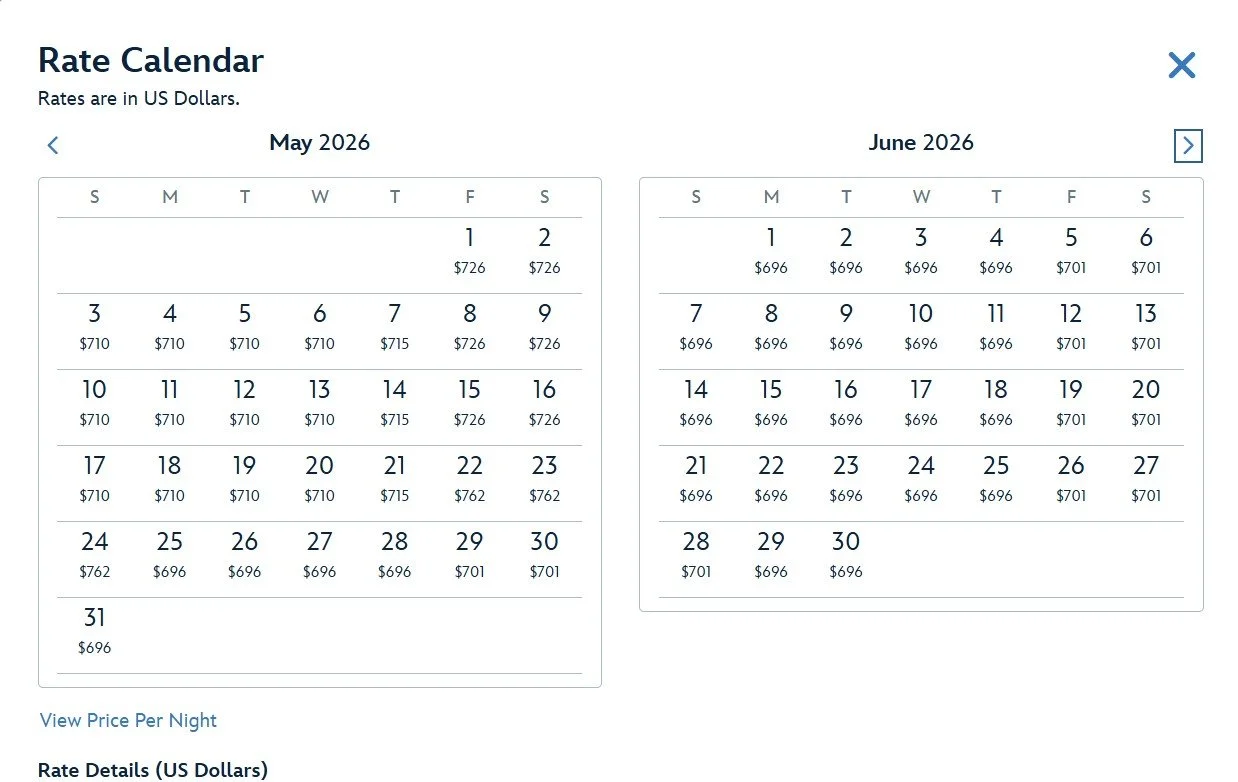
How to See a Calendar View of Disney World Resort Prices
Now that the 2027 Disney World resort bookings have opened, I figured this would be a great time to show how to see the room rates on a calendar so you can easily see the prices for a room throughout the year. I see a lot of people ask for this on various Disney Facebook groups, and all the responses are usually “it’s not possible.” But it actually is possible, and is easy to get to if you know where to look. If your dates are flexible, this can be very helpful to find a cheaper week to visit.
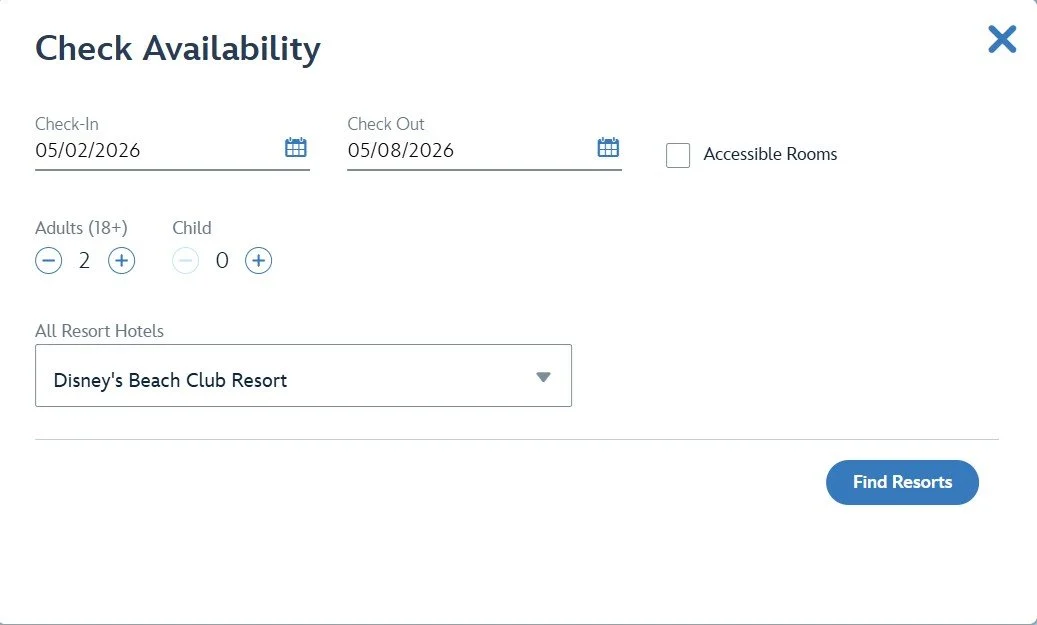
So first thing you need to do is head to the official Disney World website. Once there, search for any random dates at the hotel you want to stay at. For this example I searched for some nights at the Beach Club.
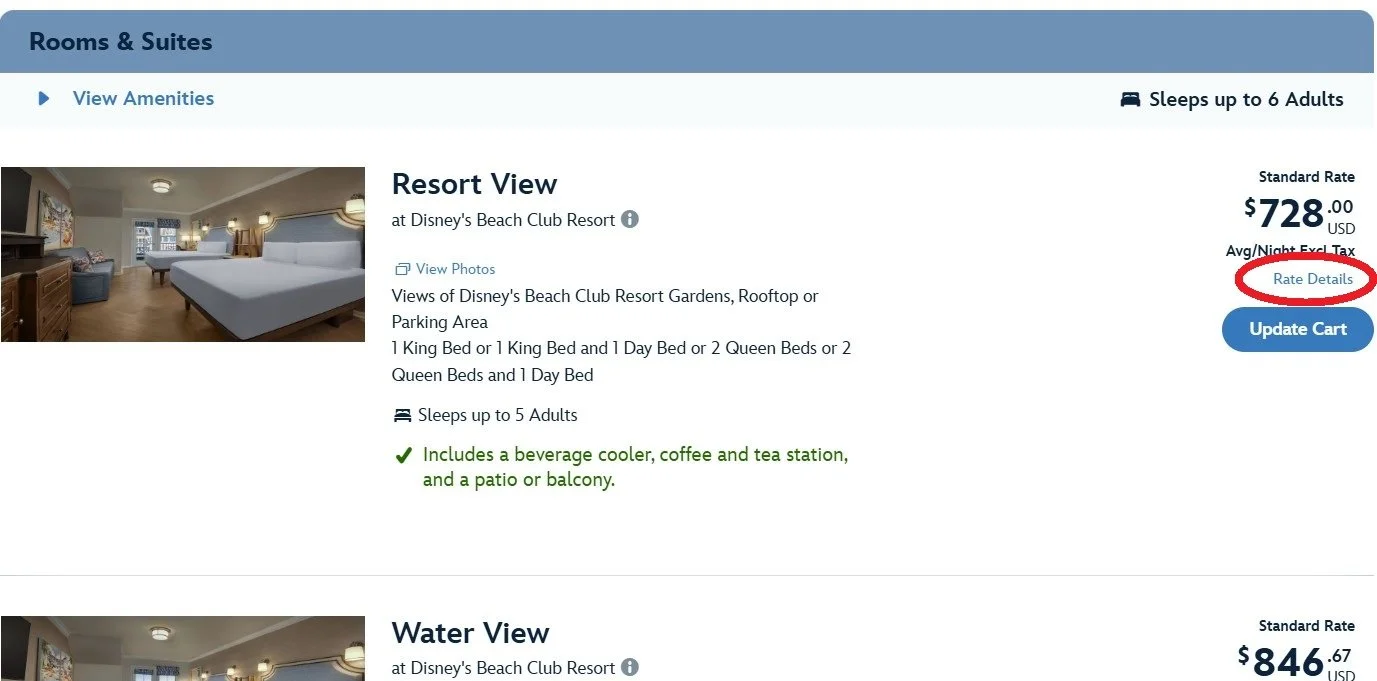
When your search results come up, scroll until you find the room type you want, and on the far right under the price, there is a “rate details” link, click that link (circled in red below).
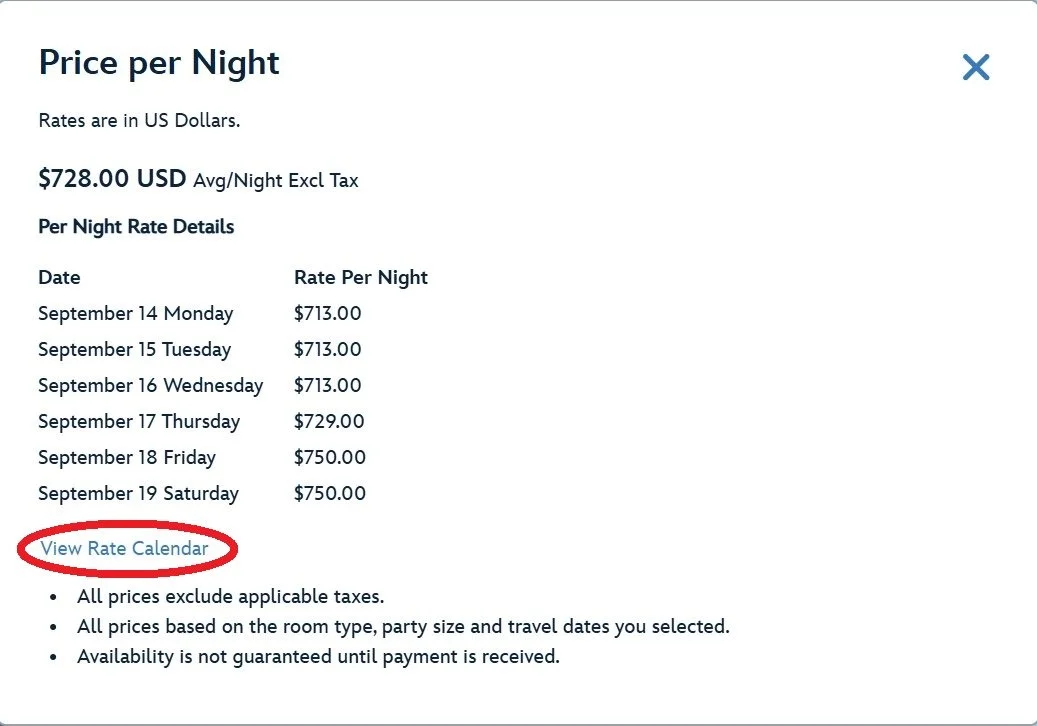
This will open a pop-up window with a list of the prices for each night during the dates you selected. Under the list, there is another link for “View Rate Calendar”, click that link (circled in red below).
That will open this new pop-up, and here you can see the room rates on a calendar and you can scroll through the months to see the rates for that room type at that hotel for the dates that are currently open for booking! It’s that easy!